One canvas for the whole analysis.
The steps, their settings, where they run, and the figures that come out of the end, in one window you can read top to bottom.
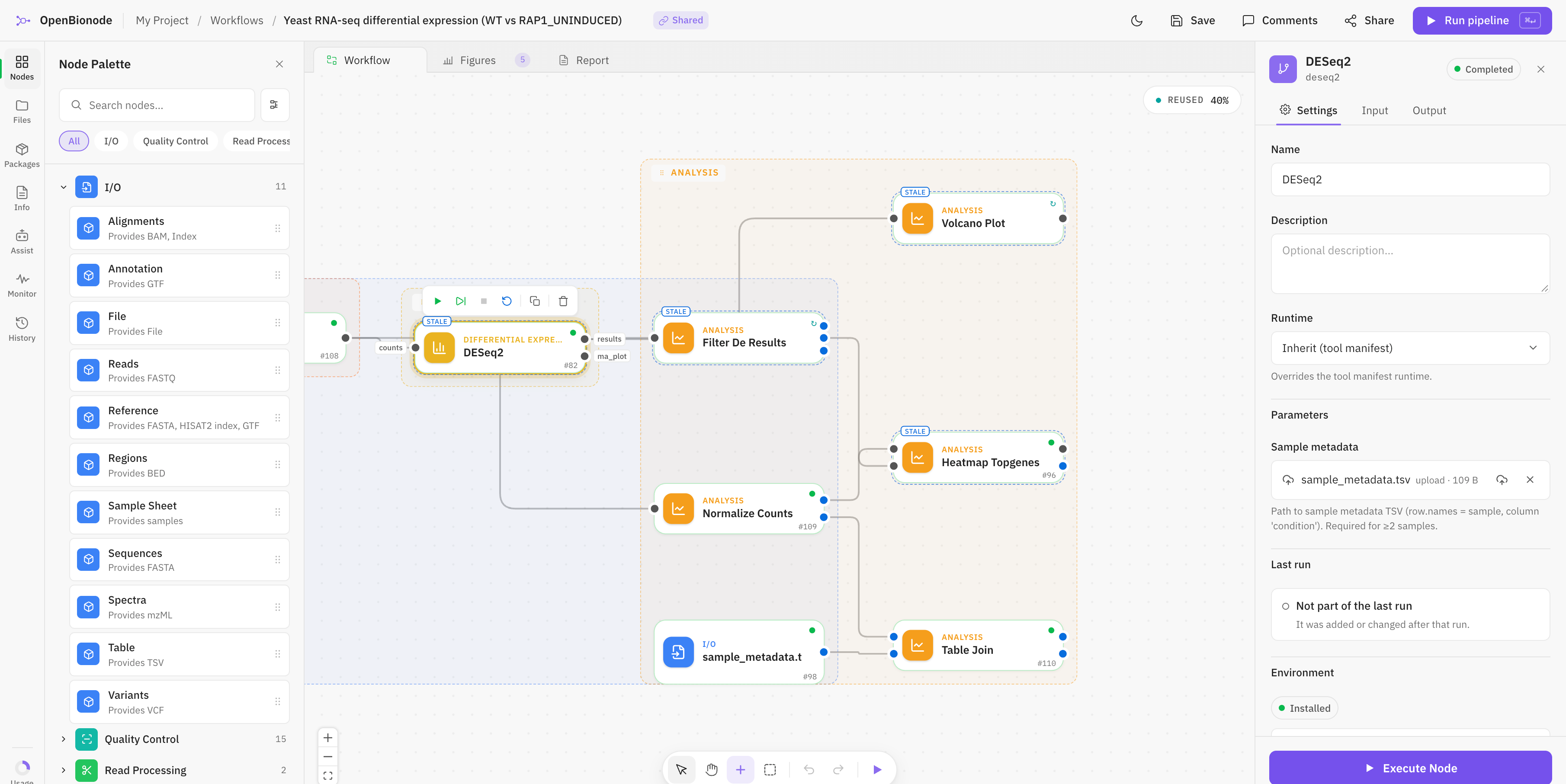
1Step library
About three thousand steps. Search by tool name or by what you need done.
2Figures
Plots bound to a step’s output, one tab away from the pipeline.
3The pipeline
Steps connected output to input. Only connections where the files fit are allowed.
4Settings
The selected step’s parameters, each with a line saying what it does.
5Run
One button. Steps that have not changed are reused rather than run again.
Steps your field already trusts
About three thousand of them, on five shelves. Each one is a published tool, packaged so it installs itself the first time it runs.
Inputs and references
Your files in, and the genomes and databases they are read against.
- FASTQ
- BAM
- mzML
- GRCh38
- GENCODE
- UniProt
Quality control
Check and clean reads and runs before anything depends on them.
- fastp
- FastQC
- MultiQC
- Trimmomatic
- Qualimap
Alignment
Place reads on a reference, or spectra against a database.
- STAR
- BWA-MEM
- HISAT2
- Bowtie2
- minimap2
Quantification
Turn alignments into counts, abundances and calls.
- Salmon
- featureCounts
- GATK
- Cell Ranger
- kallisto
Statistics and figures
Test the difference you care about and draw it.
- DESeq2
- edgeR
- limma
- Scanpy
- Seurat
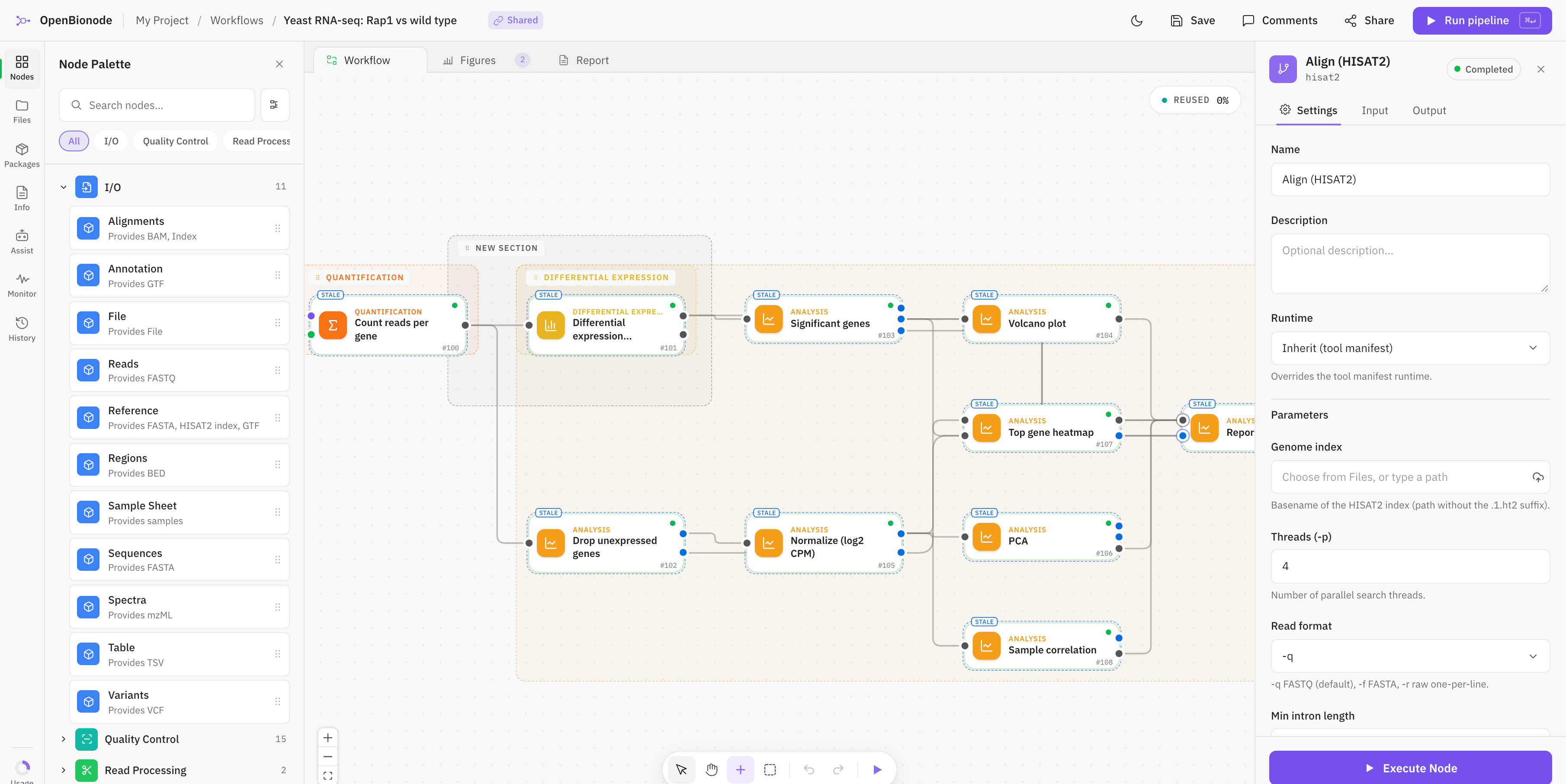
Every setting in a panel
Click a step and its settings open beside the canvas, each with a sensible default and a line saying what it does.
- Thresholds, references and designs, set without a config file
- Steps only connect where the file types fit
- The assistant can draft the whole pipeline for you to review
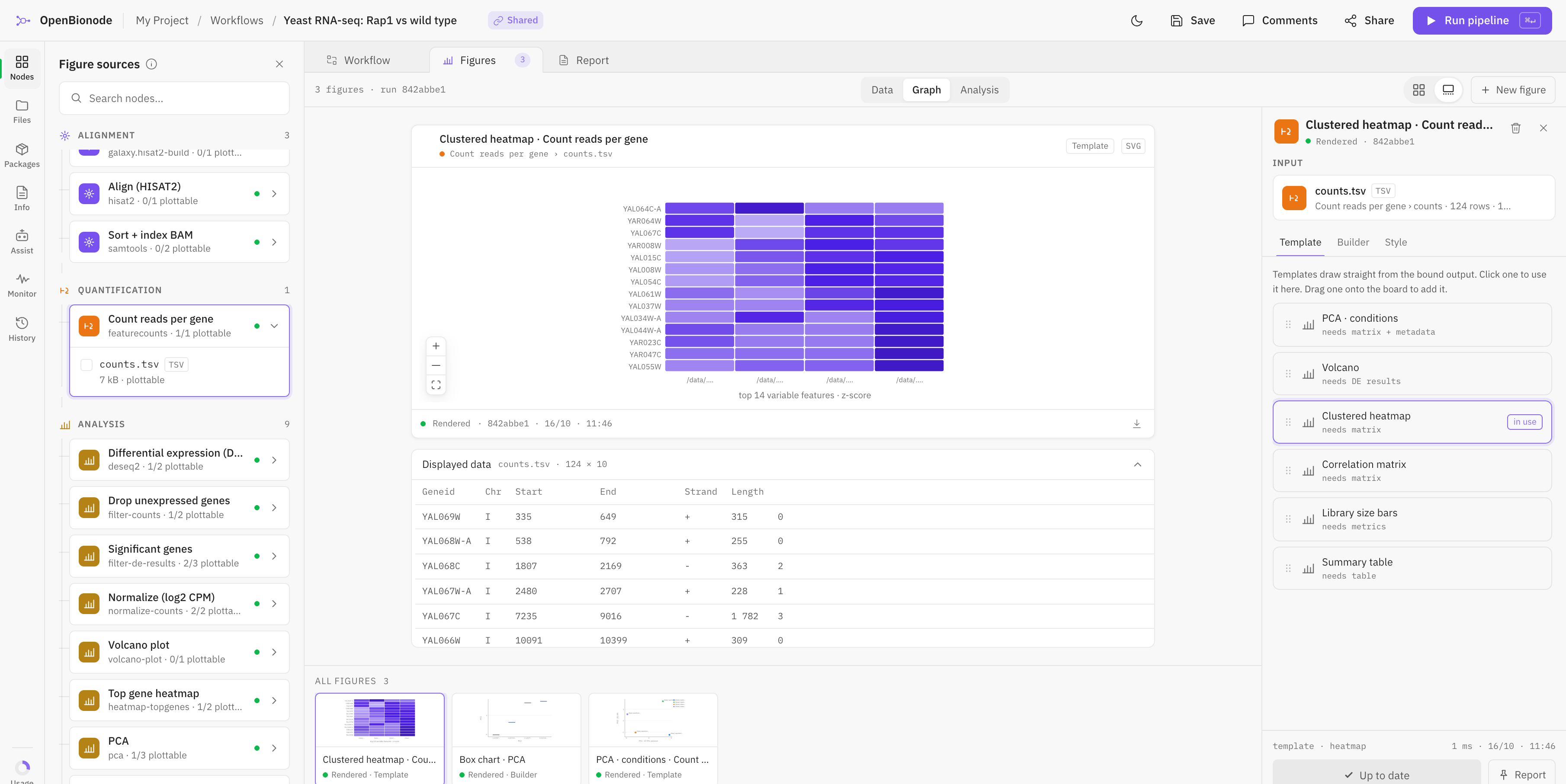
Figures that redraw themselves
A figure is bound to a step's output. Change a setting, run again, and the plot follows.
- Volcano plots, heatmaps, PCA and more, from templates
- The table behind every plot, one click away
- SVG for the figure panel, CSV for everything else
Start on your laptop. Move when you need to.
The pipeline you build today is the one you run on bigger machines later. Nothing gets rebuilt.
- Today
Your laptop
A desktop app. Each step installs its own environment the first time it runs. No account to apply for.
- Coming
Your cluster
Send the same pipeline to your institute’s cluster when one machine is not enough.
- Coming
The cloud
Or to a cloud account your lab controls, for the run that needs a hundred cores for an afternoon.
For the bioinformatician in the room
Open any step and see exactly the command it runs, the version, and every parameter. Build the lab’s pipelines once, hand them over, and stop rerunning them for everyone else.
Every run is recorded with its versions, inputs and settings, so it can be checked or run again later.
See it on your own data.
OpenBionode is in early access. Tell us what you analyse and we’ll make sure the steps you need are ready when your seat opens.